KnowaPOS – Enterprise Software Solution
Project Management, CRM, Invoicing, Support & Team Collaboration — in one place.


Project Management, CRM, Invoicing, Support & Team Collaboration — in one place.
Active Clients
Modules
Years In Production
Up Time
Built on Laravel • Works Offline • Multi Business • All Currencies & Languages
KnowaPOS is a complete all-in-one business management platform that combines Point of Sale, Inventory, Purchasing, Invoicing, Expense Tracking, and detailed Reporting in a single, easy-to-use web application. Built on Laravel and trusted by Multiple businesses across the globe, it is designed to work both online and offline.

Sell
Blazing fast POS screen with barcode scanner, express checkout, and multi-payment support.

Manage
Full inventory, purchase orders, stock transfers, adjustments, and expiry tracking.

Grow
Detailed reports, customer loyalty, sales rep commissions, and multilocation analytics.
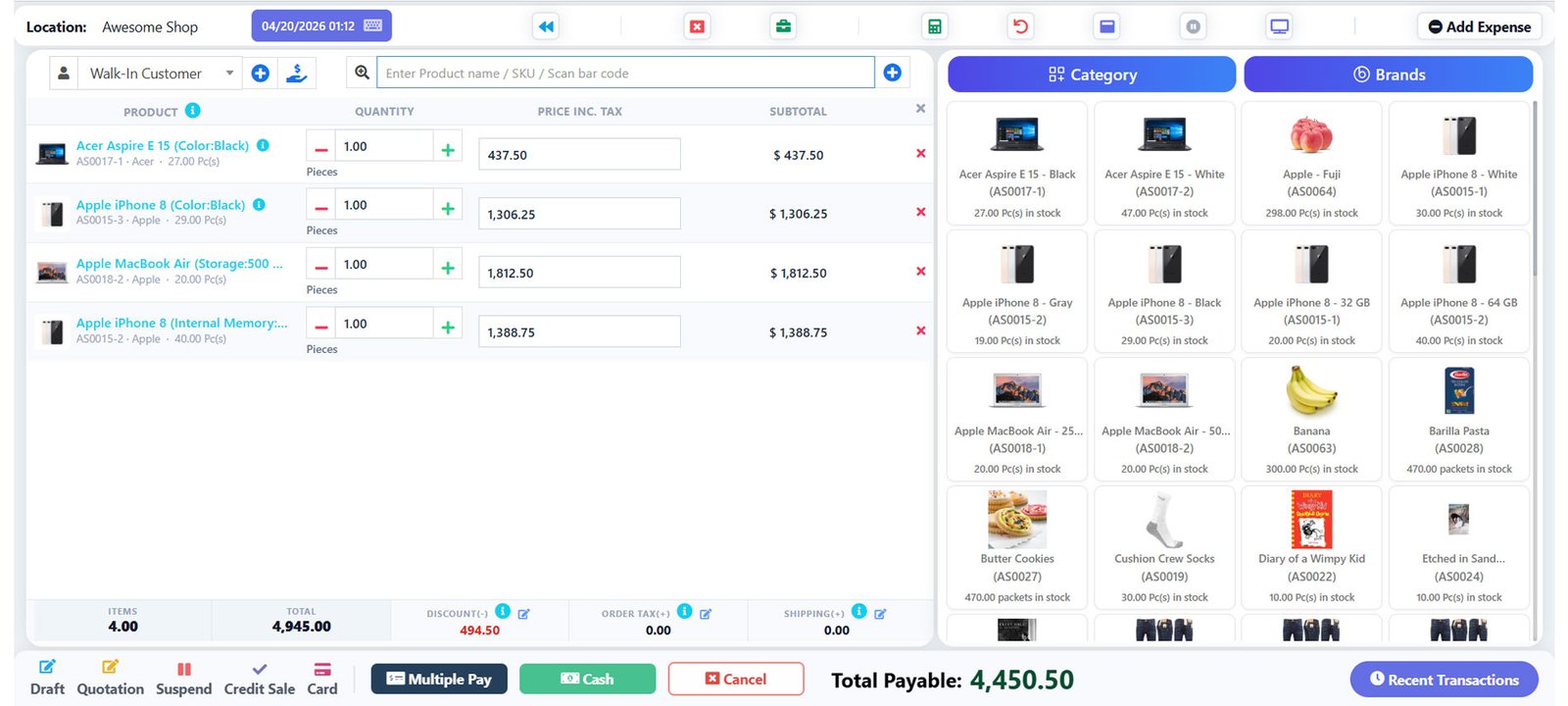
Fast, intuitive billing designed for the counter
Ajax-Based Screen
No page reloads — lightning-fast product search
and cart updates.
Barcode Scanner
Scan barcodes directly into the POS. Supports all
standard formats.
Thermal Printer
ESC/POS thermal receipt printing out of the box.
Express Checkout
Single-click checkout for walk-in customers.
Multiple Payments
Cash, card, split payments, and custom methods.
Suspend & Resume
Park a sale and resume it instantly without losing data.
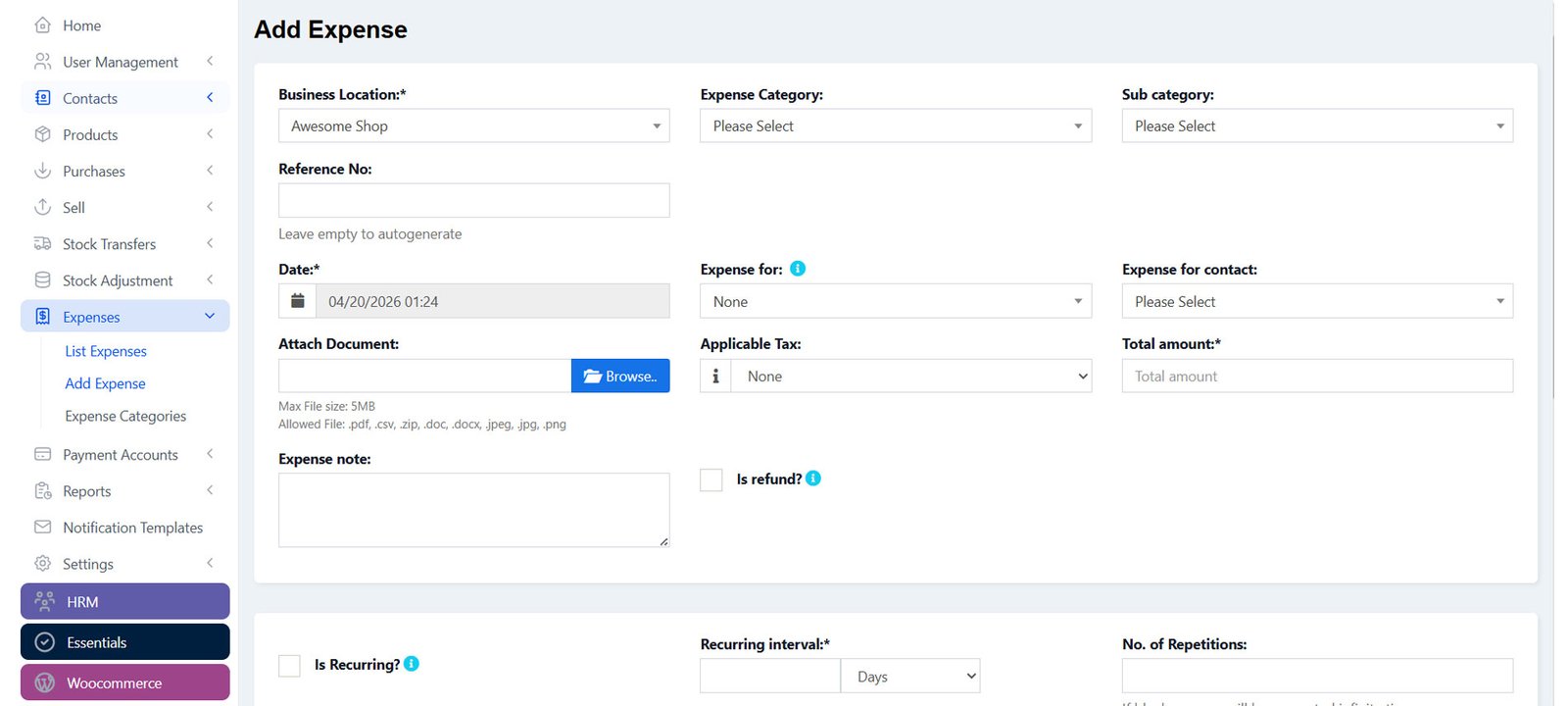
Simple & Variable Products
Manage single items and products with multiple variants (size, color, etc.)
Brands, Categories & Sub-cats
Organise your entire catalog with nested categories and brand groupings.
Auto SKU Generation
Save time — the system auto-generates SKUs with your custom prefix.
Low Stock Alerts
Get notified before you run out.
Set alert thresholds per product.
Stock Transfer
Move inventory between locations
or warehouses with full audit trail.
Stock Adjustment
Correct stock levels with reasons — loss, damage, theft, or manual count.
Lot Numbers & Expiry
Track batch numbers and expiry dates for perishable or regulated goods.
Product Variations Template
Create reusable variation templates and apply to multiple products instantly.
Import via CSV
Bulk-upload or edit thousands of products in seconds using a spreadsheet.


Purchasing
Sales

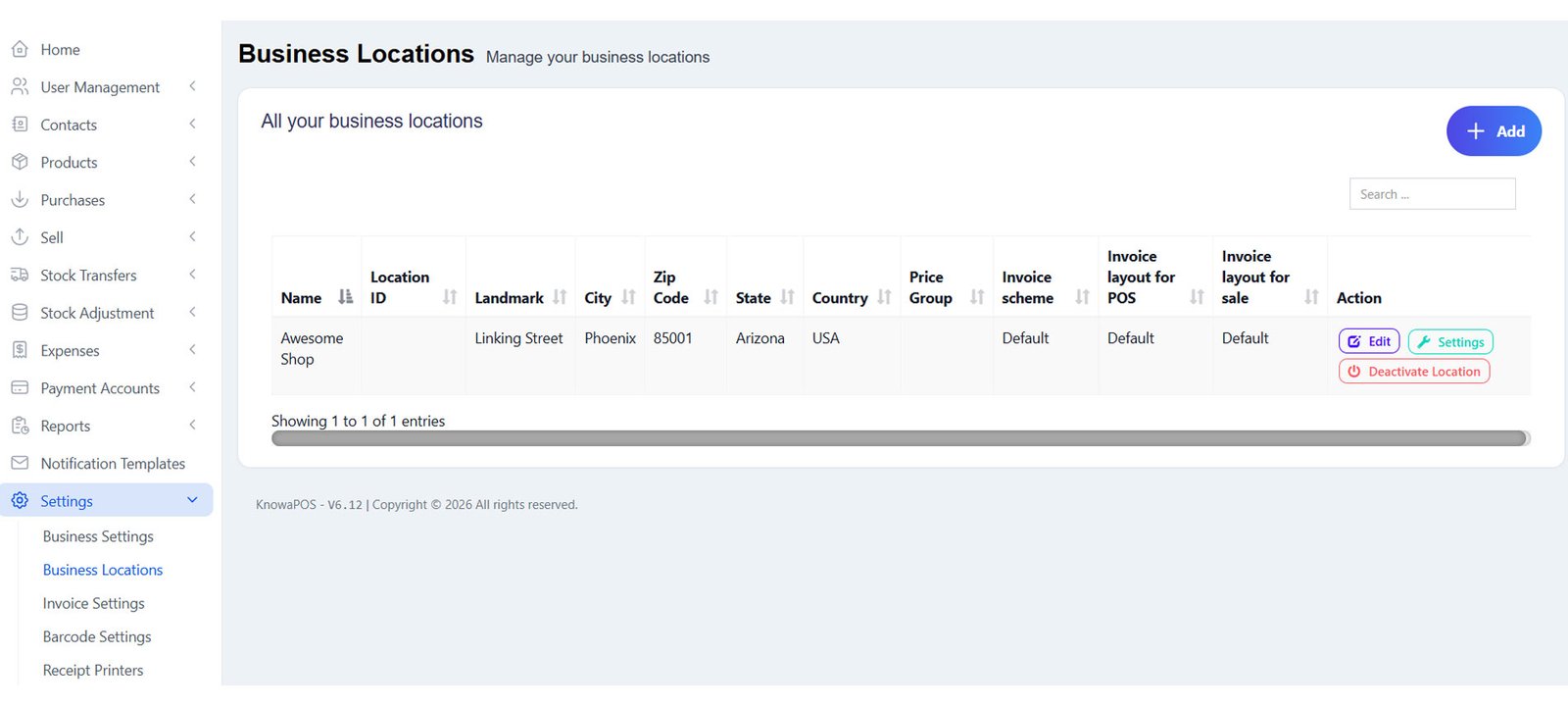
Run unlimited businesses and locations from a single installation — each with its own inventory, reporting, and settings.
Unlimited Businesses
Set up as many businesses as needed. Accounting and inventory are kept fully separate per business.
Multiple Locations
Create warehouses, storefronts, or branches. Track stock, purchases, and sales individually per location.
Per-Location Invoices
Customise invoice layout, numbering scheme, payment methods, and default price groups for each location.
Price Groups
Set retail, wholesale, or VIP prices per product. Assign price groups to customers or locations automatically.
User & Role Management
Create unlimited users. Assign roles with granular permissions per business location. Includes predefined Admin & Cashier roles.
Location-Based Products
Choose which products are available per location. Bulk-assign products to locations with a single action.
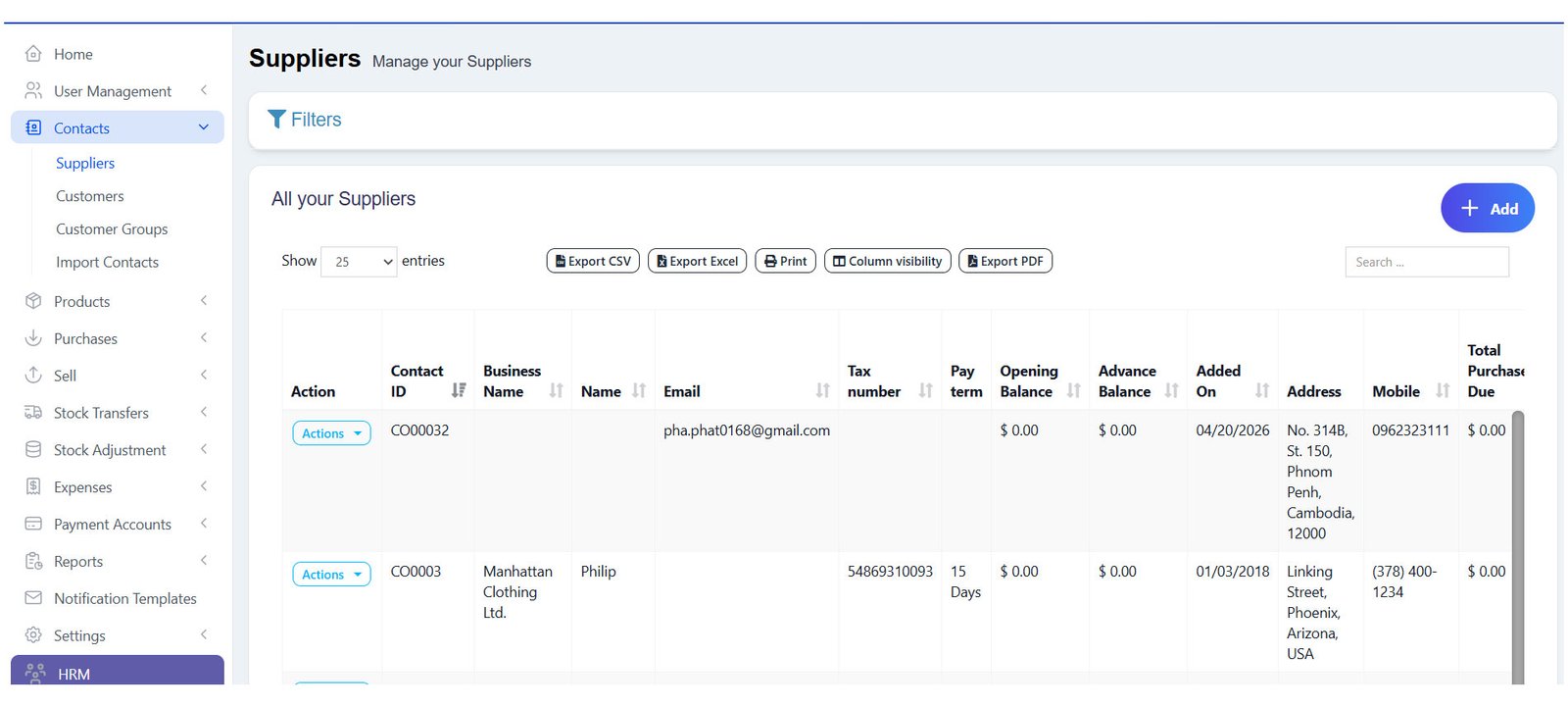
Manage customers, suppliers, and sales contacts from one unified screen
Customer & Supplier Dual Role
Mark a contact as both a customer and supplier — no duplicate entries needed.
Credit Limit Control
Set credit limits per customer. The system enforces limits at point of sale automatically.
Pay Term Alerts
Define payment terms and get automated alerts one week before due dates.
Customer Groups
Segment customers (retail, wholesale, VIP) and apply group-specific pricing automatically.
Reward Points
Loyalty reward system — earn points on purchases, redeem at POS. Boosts repeat business.
Ledger & Balance
View complete transaction history, credit/debit balance, and contact ledger per customer.
Opening Balances
Import or enter opening balances for new customers and suppliers during migration.
Import via CSV
Bulk import customers with all fields including custom fields from a spreadsheet file.
Commission Agents
Assign sales reps to customers and calculate commissions automatically per sale.
Key Capabilities
Categorised
Group expenses by department or type
Recurring
Automate fixed cost recording
Staff-linked
Expenses tied to individual employees
Reportable
Feeds directly into P&L and cash flow reports
Everything you need to make data-driven decisions
Purchase & Sale Report
Full breakdown of purchases and sales with filters by date, location, and contact.
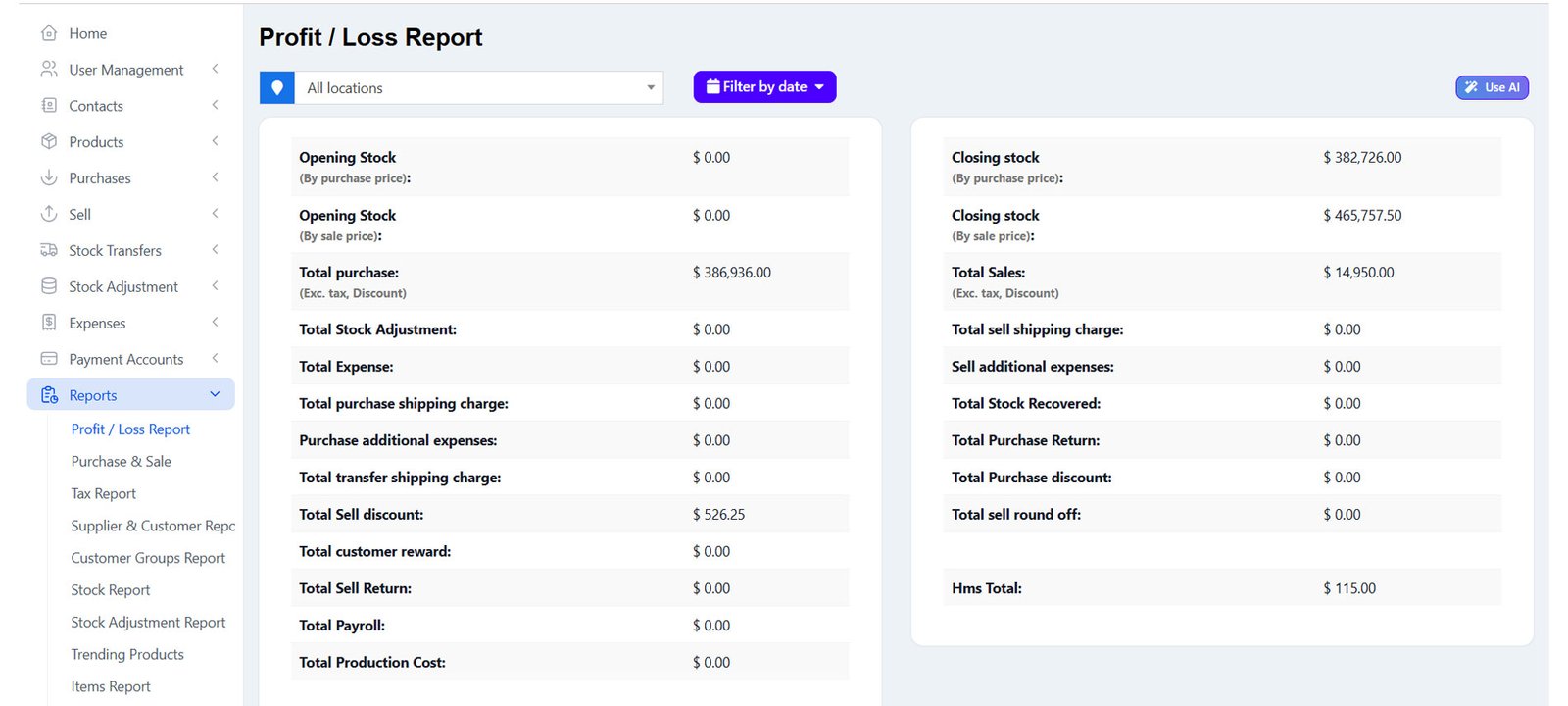
Profit & Loss Report
Gross profit by category, brand, date, invoice, and day. Includes closing stock value.
Tax Report
Input tax, output tax, expense tax — detailed GST/VAT breakdown per period.
Stock Reports
Current stock value (purchase & selling price), stock expiry, and stock adjustments.
Trending Products
See best-sellers by brand, category, subcategory, or unit with date range drilldown.
Expense Report
Analyse costs by category and location. View total expenses against revenue.
Cash Register Report
Daily cash register summary — opening, sales, expenses, and closing balance.
Sales Rep Report
Track performance by sales representative. Auto-calculate commission earned.
Contact Reports
Customer and supplier statements, due amounts, and full ledger per contact.
KnowaPOS includes a full restaurant/service mode with advanced hospitality tools:
Table Management
Allocate tables, track occupancy, and assign service
staff per table.
Bookings & Appointments
Accept reservations and manage appointment
schedules.
Kitchen Display
Orders flow to kitchen screen instantly — no paper
tickets needed.
Service Staff
Assign waiters, barbers, or technicians to orders and
track performance.
Modifiers
Add-ons like extra cheese, size upgrades, or special instructions per item.
Types of Service
Dine-in, takeaway, 3rd party delivery — each can
have different pricing.
Order Screen
Dedicated order management screen for
front-of-house and floor staff.
IMEI / Serial Tracking
Track individual unit serial or IMEI numbers — ideal
for electronics stores.

Intigration
Customisation
Recurring Invoices
Auto-generate and send invoices on your chosen schedule — monthly, quarterly, or custom.
Recurring Purchases
Never miss scheduled orders — set up recurring purchase records automatically.
Recurring Expenses
Fixed costs (rent, salaries, subscriptions) recorded automatically on schedule.
Payment Due Alerts
Automated email/SMS reminders sent to customers and suppliers before due dates.
Barcode Scanner Support
Plug-and-play with all standard USB barcode scanners — no driver setup needed.
Thermal Printer (ESC/POS)
Full thermal receipt printing with configurable templates per business location.
1.Battle-Tested
Multi businesses worldwide rely on it daily. 5+ years of active development.
2. One-Time Purchase
Pay once, own it forever. All future updates included at no extra cost.
3. Works Offline
No internet? No problem. Continue selling and sync when reconnected.
4. Free Future Updates
200+ releases delivered. Platform keeps evolving.
5. Fully Customisable
Themes, fields, layouts, taxes, currencies, languages — adapt to any business.
6. All Currencies
Supports every currency globally.
Multi-language and RTL ready out of the box.


